The Scavenger Hunt Problem: Why Re-Watching Your Own Edit Is a Productivity Killer
You just delivered a 45-minute documentary cut. The client loved it. Now they want "a few short clips for Instagram and TikTok." Simple enough, right? Wrong. What follows is the part of this job nobody talks about honestly: you load the sequence back up, park your playhead at 00:00, and start scrubbing. Again. Through footage you already know by heart.
This is the re-watch tax—the invisible cost that makes social repurposing one of the least profitable services a freelance editor can offer. You're not editing. You're not making creative decisions. You're doing manual data retrieval on footage you've already processed, hoping your memory flags the right moment before your second coffee goes cold.
Think about the actual math. A 60-minute interview edit means you probably watched 3-4 hours of raw footage to build the cut. Now you're watching the finished sequence again—another 45 minutes minimum—just to extract three 60-second clips. That's before you've touched a single transition, added a caption, or resized a single frame. If you're billing hourly, this is survivable. If you sold this as a flat-rate package, you just ate your margin alive.
The problem isn't that social repurposing is cheap work. The problem is that the workflow is broken. You're using a precision editing tool—Premiere Pro—as a glorified media player. There's a better way to work, and it starts by stopping the scrubbing entirely.
Content Mining vs. Manual Scrubbing: How the AI Copilot 'Listens' for Viral Hooks
Here's the fundamental shift: instead of watching your timeline to find the good moments, you start directing it. You tell the timeline what you're looking for, and it surfaces the moments. That's not a fantasy—that's exactly what a properly integrated AI copilot inside Premiere Pro does.
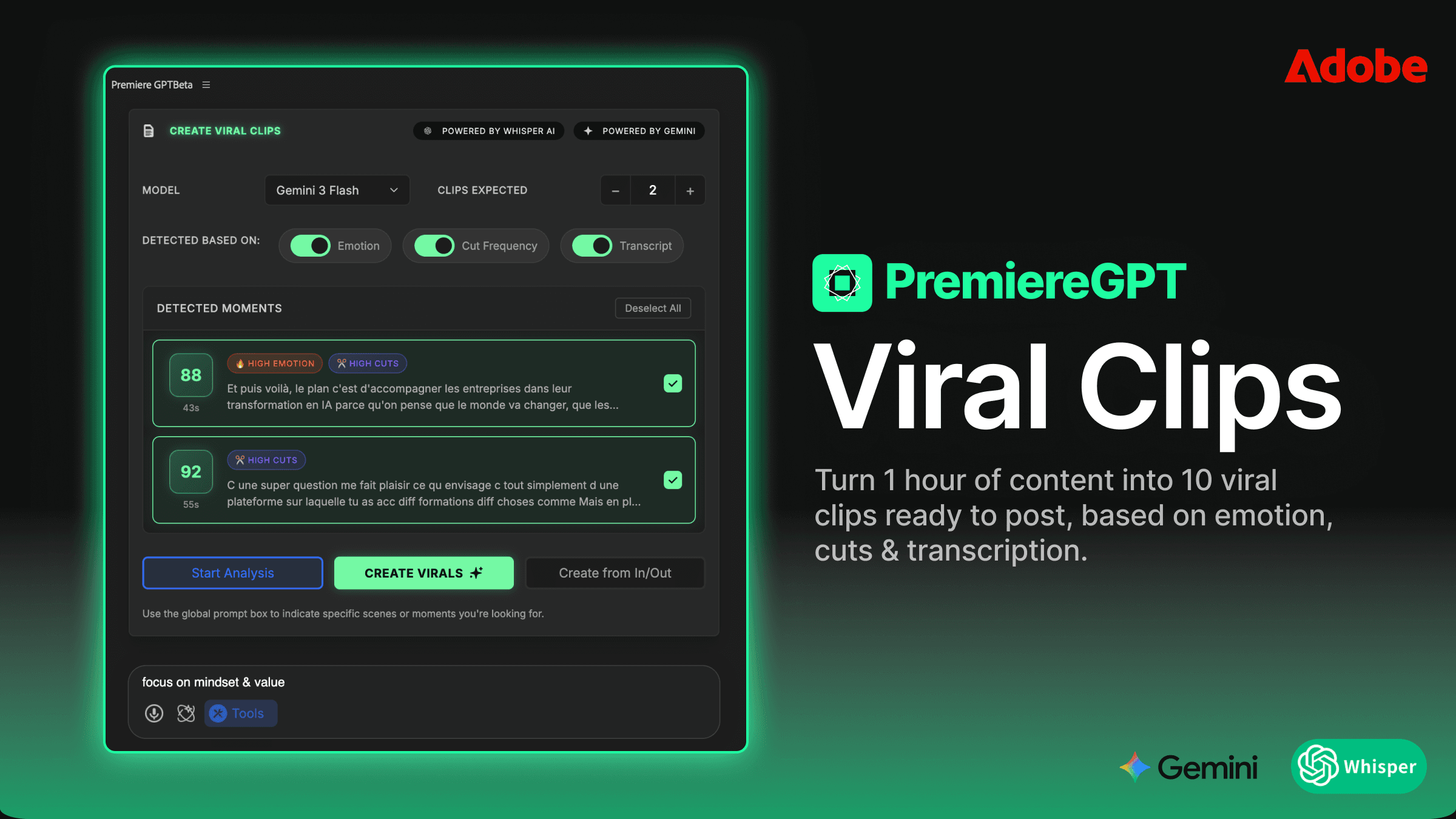
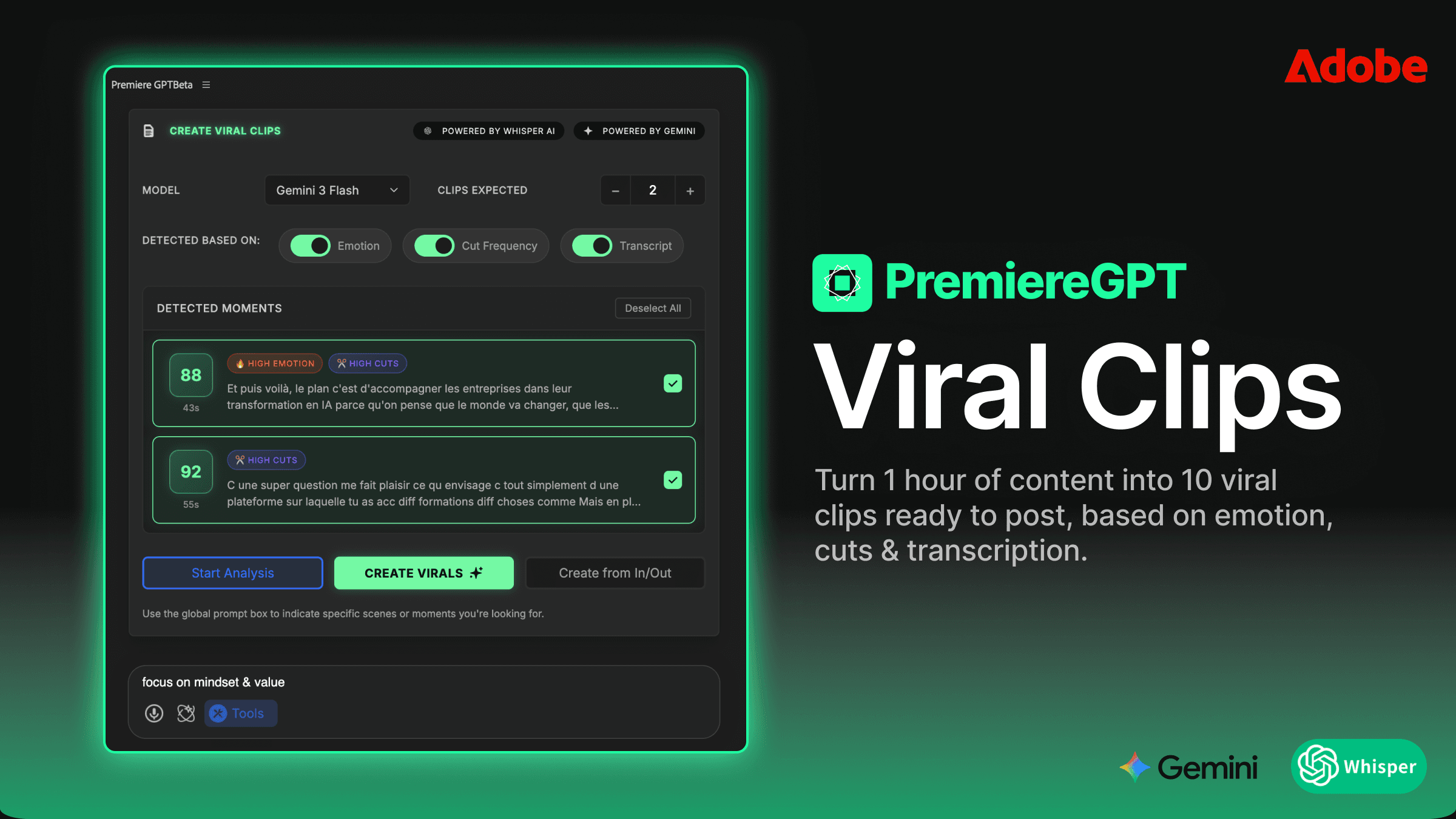
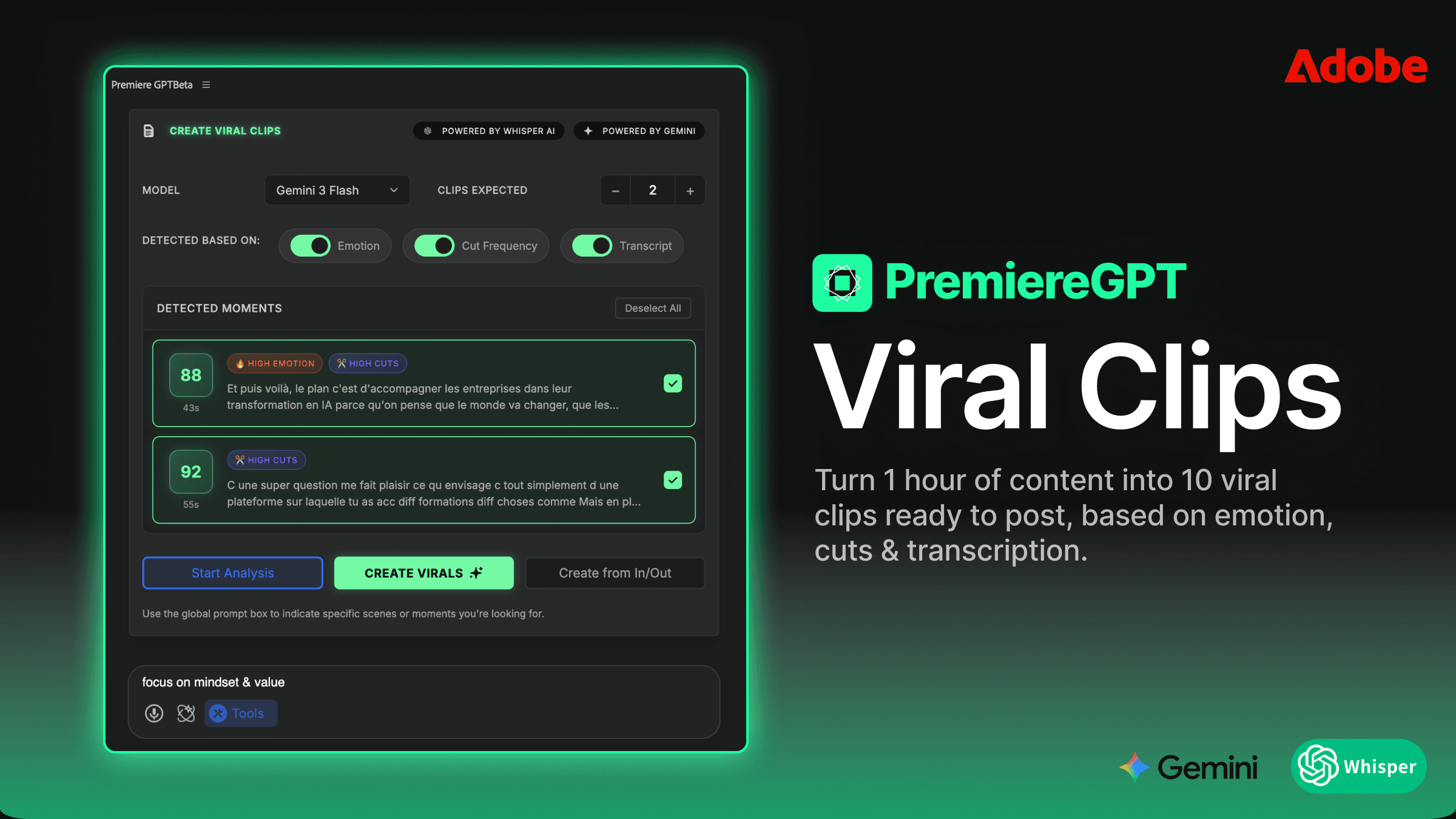
PremiereCopilot operates directly inside your editing environment. It reads your sequence, understands the audio transcript, analyzes pacing, energy shifts, and spoken content—and responds to natural-language prompts. You're not exporting anything. You're not uploading to a third-party platform and waiting for a processing queue. You're talking to your timeline the same way you'd brief an assistant editor sitting next to you.
The AI isn't just doing keyword spotting. It's doing contextual content mining—understanding the difference between a moment that's technically loud and a moment that's emotionally punchy. It recognizes the structure of a strong hook: the surprising statement, the unresolved tension, the counterintuitive claim. These are the patterns that stop the scroll. These are the clips that get shared.
What used to require a human brain re-processing already-processed footage now happens in seconds. The re-watch tax drops to near zero. And that changes everything about how you price and sell this service.
Using Context-Aware Prompts Like 'Find the Most High-Energy Moment' or 'Extract the 3 Best Hooks'
The prompts are the interface. And unlike rigid command syntax, these are written in plain English—the same language you'd use to brief a junior editor. You don't need to learn a new tool. You need to learn how to ask good questions.
Some prompts that actually work in practice:
"Find the most high-energy 60-second moment in this sequence." The AI looks for peaks in vocal intensity, pacing changes, and emotionally charged language.
"Extract the 3 best hooks from this interview." It identifies moments that open with tension or a bold claim—the kind of line that makes someone stop scrolling.
"Find every moment where the speaker makes a counterintuitive statement." Gold for thought-leadership content.
"Pull the funniest 30 seconds." Yes, it understands humor cues—laughter, timing, audience reaction.
"Find moments where the speaker gives a concrete tip or actionable advice." Perfect for educational content repurposing.
Each of these prompts returns not just a timecode, but a proposed clip—ready to be dropped into a new sequence. You review, you approve, you adjust. You're back in the director's chair instead of the screening room. The creative judgment is still yours. The scavenger hunt is over.
The One-Prompt Social Workflow: Creating Vertical Sequences Without the 'Auto-Reframe' Mess
Finding the clip is only half the battle. The other half is the resize—and if you've spent any meaningful time with Premiere's native Auto-Reframe, you know it's a tool that promises a lot and delivers inconsistently. It tracks faces, sure. But it drifts. It crops at the wrong moment. It misses a gesture that's critical to the story. You end up spending 20 minutes babysitting keyframes on a 60-second clip, which defeats the entire purpose.
The AI-driven workflow inside PremiereCopilot handles the reframe as part of the same operation. You prompt for the clip, specify the output format—9:16 for Reels and TikTok, 1:1 for feed posts, 4:5 for portrait—and the sequence is created with intelligent positioning baked in. The subject stays in frame. Motion is accounted for. And crucially, the result is a native, editable Premiere sequence—not a flattened export, not a rendered file you can't touch.
This distinction matters enormously. When a client asks you to tweak the end card, adjust a lower third, or swap a music bed, you're back in the sequence in seconds. Every layer is accessible. Every effect is live. You're not rebuilding anything from scratch because some external tool handed you a baked MP4.
Scaling and Positioning: Why AI-Driven Resizing Beats the Native Premiere Plugin
Auto-Reframe works on a single axis: face tracking. It doesn't know that the speaker's hands are telling half the story. It doesn't know that the graphic on screen is the entire point of the frame. It doesn't understand composition—it understands bounding boxes.
AI-driven resizing inside PremiereCopilot approaches the problem differently. It reads the content of the frame, not just the position of a detected face. If the speaker gestures toward something off-center, the reframe accounts for that. If there's a key visual element in the lower third of a landscape frame, the crop preserves it rather than sacrificing it for a centered headshot.
The result is a vertical clip that looks like it was shot vertically—not one that looks like it was cropped from a widescreen master. That's the difference between a social clip that performs and one that immediately signals "repurposed content" to an algorithm-savvy audience. Viewers feel it even when they can't articulate it. Composition matters, even at 9:16.
And because all of this lives inside Premiere, you retain full control over every parameter. The AI sets the starting position. You finalize it. No black boxes. No mystery renders. Just a faster path to a better result.
Keeping Your Flow: Why Browser-Based AI Clippers Fail Professional Editors
The market is full of browser-based tools that promise to automate social repurposing. Upload your video, wait for processing, download your clips. Some of them are genuinely clever. None of them are built for professional editors working at scale.
Here's why they break down in a real production environment:
Round-trip friction. Export from Premiere, upload to the web tool, wait, download, re-import. Every step is a context switch and a potential quality loss, especially if you're working with ProRes or high-bitrate H.264 masters.
No timeline access. The browser tool sees a flattened video file. It has no idea about your color grade, your audio mix, your motion graphics layers. What it exports is what you get—take it or leave it.
No iterative editing. Client wants to change the outro? You're starting over. The source file in the browser tool is static. There's no sequence to return to.
Timeline bloat on re-import. Bringing processed clips back into Premiere means managing new media, new bins, new sync issues. Your project gets heavier and harder to navigate with every iteration.
Codec degradation. Every encode-decode cycle costs you quality. For delivery to social platforms that re-compress on upload, you want to start from the highest quality source possible—not a file that's already been through two additional compression passes.
Professional editors don't just need clips. They need editable sequences that fit inside an existing project structure, with all the layers intact and all the creative decisions reversible. That's not a browser tool's problem to solve. That's a timeline problem—and it needs a timeline solution.
Maintaining Full Control Over Effects, Transitions, and Layers in the Timeline
Here's a scenario that happens constantly in post-production: you deliver a set of social clips, the client approves them, and then three days later they come back with a revision. Maybe the logo changed. Maybe they want a different music track. Maybe the speaker's title needs to be updated on the lower third.
If your social clips were generated by a browser-based tool, this revision is a rebuild. You're starting from the flattened export, which means you're re-cutting, re-adding graphics, re-mixing audio. Billable hours spike. Client satisfaction drops. You look less professional than you are.
If your social clips were generated inside Premiere via PremiereCopilot, this revision takes five minutes. You open the sequence, you adjust the layer, you re-export. The color grade is still live. The audio effects are still adjustable. The motion graphics template is still editable. The entire edit history is intact.
This is what "native and editable" actually means in practice. It's not a feature bullet point—it's the difference between a sustainable, revision-friendly workflow and a brittle, one-shot process that falls apart the moment a client changes their mind. Which, as every freelance editor knows, they always do.
Profitability Math: How to Sell 'Social Snippet' Packages Without the 4-Hour Overhead
Let's talk about money, because that's the real reason most freelance editors either underprice social repurposing or avoid it entirely. The work feels cheap because the margin is thin. The margin is thin because the overhead is enormous relative to the deliverable. A 60-second clip shouldn't take two hours to produce. But with a manual workflow, it often does.
Break down where the time actually goes on a typical social repurposing job:
Re-watching the source edit to identify candidate clips: 45-90 minutes
Rough-cutting each clip into a new sequence: 20-30 minutes
Resizing and reframing for vertical formats: 30-60 minutes
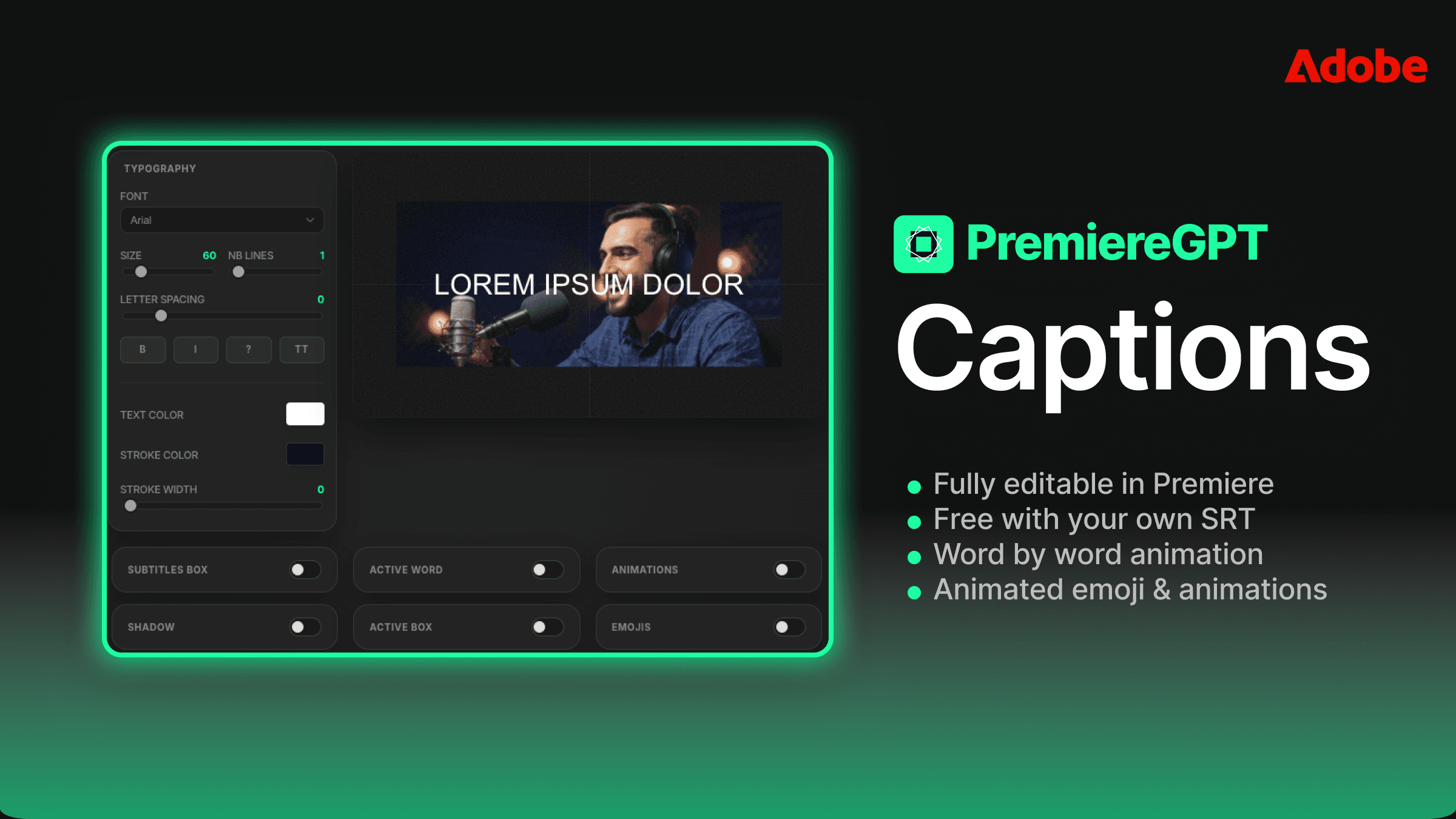
Adding captions, lower thirds, and music: 30-45 minutes
Export and delivery: 15-20 minutes
That's a conservative 2.5 to 4 hours for a package of 3-5 clips. If you're charging $300 for the package, you're making $75-120 per hour before taxes and overhead. That's not a great number for a skilled editor. And it doesn't account for revisions.
Now compress steps one through three to under 20 minutes using the AI-driven workflow. Suddenly that same $300 package takes 90 minutes total. Your effective hourly rate just doubled. And because the sequences are native and editable, revisions are fast—so you can offer a revision round without flinching at the cost.
This is where the business model shifts. You're no longer selling "social clips." You're selling a Social Snippet Package: a defined deliverable that includes clip extraction, vertical reformatting, captions, and one revision round—all delivered within 48 hours. You can productize it. You can put it on your rate card. You can upsell it to every long-form client you have, because every long-form client has a social media manager who needs content.
The editors who are winning in this market aren't the ones who work harder on social repurposing. They're the ones who've systematized it to the point where it's genuinely profitable. That starts with eliminating the re-watch tax. Everything else follows.
The goal isn't to automate your creativity. It's to automate the parts of the job that never required creativity in the first place—so you can spend your billable hours on work that actually needs a skilled editor behind it.
If you want to go deeper on the prompting side of this workflow—specifically which natural-language prompts consistently surface the best hooks from podcast and interview footage—we've put together a dedicated resource for exactly that.
Download the "Viral Hook" Prompt Sheet: 15 exact natural-language prompts to find and extract the best social clips from any podcast or interview. These are the prompts we use in real production workflows, written to work with PremiereCopilot's context-aware engine. Stop guessing what to ask. Start getting results on the first prompt.